Commercial MLS
Step 1. Visit our website, https://go.crmls.org/, and click on the Login button. (You can also access this link via your Association or Board’s website).
Step 2. Enter your User ID and Password and click on the Login button (Your password (but not your username) is case sensitive)
Step 3. Click on the Matrix icon to access your MLS system.
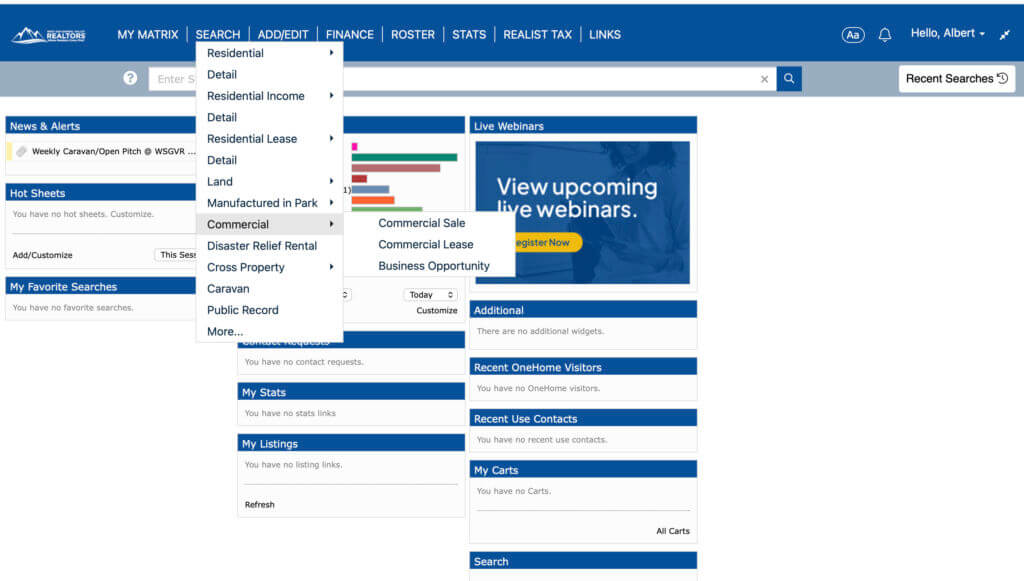
Step 4. Click SEARCH -> Commercial -> Commercial Sale, Commercial Lease, or Business Opportunity. See below.